How to use
This guide can help you get started with this app quickly
I.How to add, modify, delete or preview mood diary?
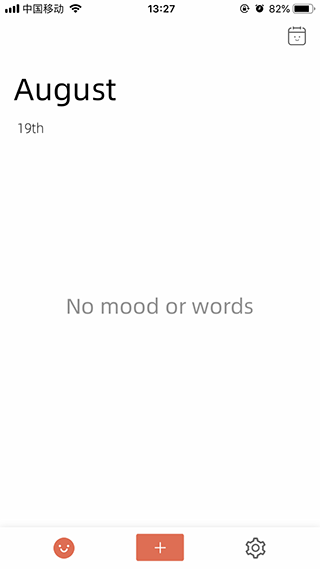
Click the button in the middle of the home page to jump to the Add mood diary interface. Click on an emoticon to add or modify. You can add text by typing text. Click the Save button in the upper right corner and this mood will be recorded.
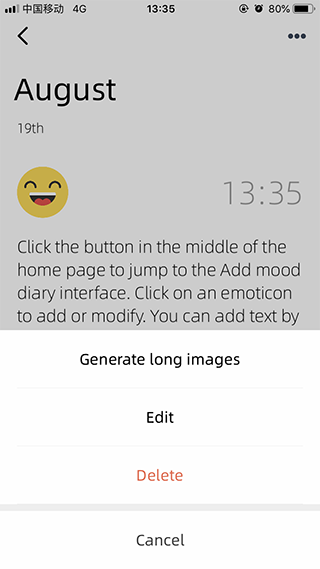
Click on any of the history will enter the preview interface, you can preview and edit the mood.
Click the function button in the upper right corner to edit, delete, and share the current Nikkei. (Note: The mood record will disappear permanently after deletion!).
II. How to view and export the historical mood diary?
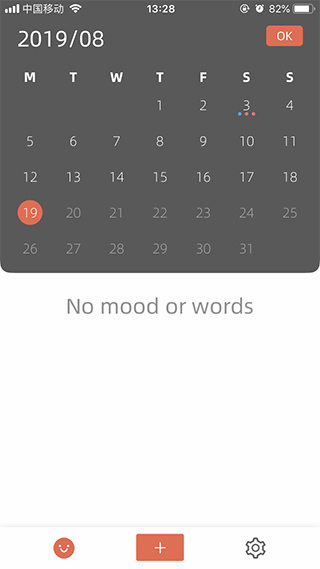
Find the historical mood on the homepage interface, click on the top right corner to select the date, and click Confirm to view the historical mood record under this date.
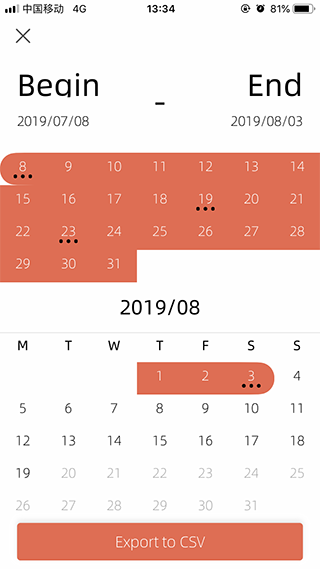
Export mood: select a start date, then select an end date, click the export button below, you can export the mood history in this time period.。
III. Use feedback
If you have any questions or concerns regarding our privacy policy or data processing, please contact us at +8613277853764.